How to Turn Website Visitors Into Leads (Without Spending More on Ads)
You've done the hard work. You've got a website up, you're getting traffic, and people are visiting your pages. But here's the uncomfortable truth most businesses face: traffic alone doesn't pay the bills. Leads do.
If you're watching your analytics and seeing hundreds of visitors every month but barely any inquiries coming through, you're not alone. This is one of the most common frustrations we hear from founders and business owners. And the good news? It's almost always fixable. Not by spending more on ads, but by making smarter decisions about what happens after someone lands on your site.
Let's walk through exactly how to turn those website visitors into real, qualified leads.
First, Understand Why Visitors Leave Without Enquiring
Before we talk about fixes, let's talk about the real problem.
Most websites are built to look good, not to convert. They tell visitors what a business does, maybe show some services, and then... hope the visitor figures out what to do next.
But here's how people actually behave online. They land on your page, skim for about 8 seconds, look for something that speaks directly to their problem, and if they don't find it, they leave. Not because they weren't interested. But because your website didn't give them a good enough reason to stay or act.
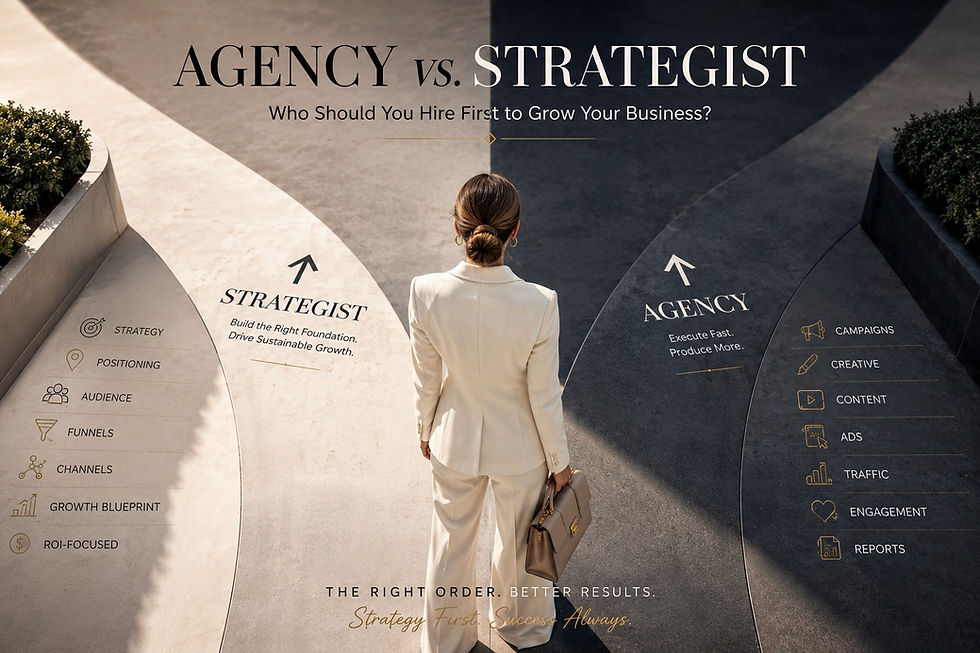
And here's the thing most businesses miss: this isn't a digital marketing problem. It's a digital strategy problem. We explored this in detail in our earlier post Why Most Businesses Don't Have a Digital Marketing Problem, They Have a Strategy Problem and it's worth a read before you dive deeper into conversion tactics.
Understanding this changes everything about how you approach your website conversion.
1. Get Crystal Clear on Who You're Talking To
The biggest conversion killer is a website that tries to speak to everyone. When you speak to everyone, you connect with no one.
Ask yourself: who is the one person most likely to become your best client? What are they struggling with? What words would they use to describe their problem? What would make them stop scrolling and think "this is exactly what I need"?
When you get specific about your target audience, your website copy becomes sharper, your messaging becomes more relevant, and visitors feel like you're speaking directly to them. That feeling of being understood is what moves someone from a passive browser to an active enquirer.
Quick win: Go back to your homepage and read your headline. Does it speak to a specific person's specific problem? Or does it just describe what you do? Rewrite it with your ideal client in mind.
2. Make Your Value Proposition Impossible to Miss
Your value proposition is the answer to one simple question: why should I choose you over everyone else?
This needs to be clear, compelling, and visible within the first few seconds of someone landing on your page. Not buried halfway down. Not hidden in your About section. Right at the top, where every visitor can see it.
A strong value proposition doesn't just say what you do. It says what you do for the client and what makes your approach different. For example, instead of "We provide digital marketing services", try something like "We help scaling businesses build digital growth systems that convert visitors into consistent, high-value leads."
See the difference? One describes a service. The other describes an outcome. Outcomes convert.
3. Use Clear, Specific Calls to Action
This one surprises a lot of people, but vague CTAs are one of the biggest reasons websites leak leads.
Buttons that say "Learn More" or "Click Here" don't tell the visitor what happens next or what they gain by clicking. They create hesitation instead of action.
Replace vague CTAs with specific, benefit-driven ones. Instead of "Contact Us", try "Book a Free Strategy Call". Instead of "Submit", try "Send My Enquiry". Instead of "Get Started", try "Let's Build Your Growth Plan".
Every call to action on your website should answer the visitor's silent question: what's in it for me if I click this?
Also, don't make visitors hunt for your CTA. It should appear at the top of the page, after key sections, and at the bottom, multiple times, without being pushy.
4. Build Trust Before You Ask for Anything
Here's a hard truth: most visitors who land on your website for the first time don't trust you yet. And they shouldn't have to, based on nothing.Trust is built through proof. And there are several ways to demonstrate it on your website:
Testimonials and reviews: Real words from real clients carry enormous weight. Even two or three genuine testimonials can significantly increase enquiry rates.
Case studies or results: If you've helped a client achieve something measurable, show it. Numbers and outcomes build credibility fast.
Your story and expertise: People buy from people. Sharing who you are, your background, and your philosophy makes your business feel human and trustworthy.
Logos of brands you've worked with: Social proof through association is powerful, especially for B2B businesses.
The more evidence you give visitors that you're credible, experienced, and results-driven, the more comfortable they'll feel reaching out.
5. Simplify Your Contact Process
You'd be surprised how many leads are lost simply because the enquiry process is too complicated.
If your contact form has 8 fields, you're asking for too much too soon. If your only CTA is a phone number, you're losing people who prefer to enquire in writing. If your contact page is buried three clicks deep, most visitors won't bother finding it.
Make it effortless to reach you. A simple form with three to four fields (name, email, phone, and a brief message) is enough to capture a lead. You can gather more details once the conversation starts.
Also consider adding a WhatsApp button if you serve Indian or South Asian markets. Many clients prefer WhatsApp over email, and a single click-to-chat button can dramatically increase the number of people who reach out.
6. Create a Lead Magnet Worth Having
Not every visitor is ready to enquire right now. Some are in research mode, comparing options, gathering information, or simply not quite ready to commit.
For these visitors, a lead magnet is your secret weapon. A lead magnet is a free, valuable resource you offer in exchange for their email address. It could be a checklist, a short guide, a template, a mini audit, or even a recorded webinar.
The key is that it must be genuinely useful, not a disguised sales pitch. When you give real value upfront, you build trust, stay in touch through email marketing, and position yourself as the go-to expert when the visitor is finally ready to make a decision.
7. Track What's Working and Fix What Isn't
Finally, turning website visitors into leads is not a one-time task. It's an ongoing process of testing, measuring, and refining.
Use tools like Google Analytics or Bing Analytics to understand which pages get the most traffic, where visitors drop off, and which CTAs get clicked. If a page gets lots of visitors but zero enquiries, that's a clear signal something needs to change, whether it's the copy, the layout, or the call to action.
Small, consistent improvements compound over time. Even a 1% improvement in your conversion rate can make a significant difference to your monthly leads.
The Bottom Line
Getting website traffic is only half the battle. The other half is making sure that traffic has a clear, compelling reason to take the next step.
Start with clarity: be specific about who you serve and what you offer. Build trust through proof. Make it easy to get in touch. And always give visitors a reason to act now.
A website should be the hardest working salesperson in the business. With the right digital strategy in place, it absolutely can be.
Ready to turn your website into a lead generation machine? At Aashan Digital Growth, we help businesses build digital systems that convert. Get in touch and let's talk strategy.